FLAC vs. WAV: A Direct Comparison of Quality, File Size, and Compatibility
In the Canada premium headphone scene, one might constantly hear about the debate of FLAC vs. WAV. Both formats are designated "lossless," leading many audiophiles to assume choosing either is an automatic key to better audio quality. The reality is simpler: neither format inherently improves or adds detail. Their critical function is simply to meticulously preserve the original audio signal without any data loss during storage. Here we are gonna break down the technical differences, and explain how they impact your listening experience.
What Is FLAC (Free Lossless Audio Codec)?
FLAC solved the digital dilemma: perfect fidelity at a reduced storage size. It uses a specific compression technique, but even after the compression, it’s lossless. This means absolutely zero original audio data is dropped. FLAC is a perfect digital container/organizer; the audio stays in the file in a compact size, and you get an exact, byte-for-byte replica of the original master recording when you play and decompress the file through a music player.
Pros of FLAC Files
-
Lossless Quality: FLAC preserves all the original audio data, offering sound quality identical to the original source.
-
Significantly Smaller File Size: It reduces the file size of an uncompressed audio track by 40% to 70%, great for large music libraries.
-
Open Source and Free: As a free and open-source format, it has wide adoption and compatibility across various software and hardware.
-
Metadata Support: FLAC supports rich metadata tagging (artist, album, track number, cover art), which is essential for organizing and managing a large digital music collection.
Cons of FLAC Files
-
Processing Power: The compression and decompression process requires slightly more processing power from your playback device compared to simply playing an uncompressed WAV file, though this is rarely an issue with modern devices.
-
Compatibility with Older Systems: While widely supported today, FLAC may not be compatible with some very old or niche playback systems designed before its adoption.
Use Cases of FLAC
FLAC is the go-to choice for the majority of listeners and archivists who want to build a high-quality digital music library without immediately maxing out their storage. It is perfect for:
-
Digital Music Archiving: Storing a vast collection of music in the highest quality possible while conserving hard drive space.
-
Streaming High-Fidelity Audio: Many high-resolution streaming services now use FLAC for delivery due to its balance of quality and reduced bandwidth requirements.
-
Portable Audio Players: Loading high-quality music onto dedicated portable music players or mobile devices, where storage space is still a consideration
What Is WAV (Waveform Audio File Format)?
WAV is the foundation of lossless audio. This uncompressed file format is built by Microsoft and IBM. It stores raw audio data exactly as recorded, representing the purest sound in digital form.
Pros of WAV Files
-
Purest Sound Quality: Uncompressed raw data. Highest possible fidelity.
-
Universal Compatibility: Industry standard. Works with every OS, editor, player and even older gear.
-
Ideal for Editing: Data is sequential, uncompressed. Engineers edit, mix fast. Zero computational decoding penalty.
Cons of WAV Files
-
Massive File Size: Uncompressed means huge files (e.g., 10 MB/minute). Bad for portable collections. Kills storage fast.
-
Limited Metadata Support: Metadata tagging for WAC is deliberately limited, as they are meant to be used by audio studios where consumer-oriented features have no use.
-
Proprietary Nature: Microsoft originally owned it. It’s now an open, publicly documented format.
Application Scenarios of WAV
WAV exists for professionals. Absolute raw data integrity and speed matter most here.
-
Professional Audio Production: Recording, editing, mastering. Data integrity is critical.
-
Sound Design: Creating audio assets (effects, jingles) for film, games, TV.
-
Archiving Master: The final, definitive master copy. Saved before any compressions
FLAC vs. WAV: Key Differences
When Canadian listeners compare WAV vs. FLAC for personal audio, the choice can be narrowed quickly with three practical factors.
Sound Quality
WAV holds the pure, raw master data, while FLAC uses intelligent, lossless compression to shrink the file size. Despite their structural differences, both formats deliver maximum fidelity. In rigorous blind testing, even with high-end wireless headphones, listeners simply cannot distinguish between a FLAC and a WAV file.
File Size
This is the most critical distinction. A FLAC file is a fraction of the size of its equivalent WAV. Take a three-minute, CD-quality track as an example: 30 MB as WAV, but only 15 MB as FLAC. If you’re archiving a multi-terabyte library, choosing FLAC effectively doubles your storage capacity.
Compressed vs. Uncompressed Audio
The core debate of FLAC and WAV sits right here. WAV is raw, uncompressed audio; it stores PCM data directly. FLAC is a lossless compressed format. It uses an algorithm to repackage the PCM data, drastically shrinking the file size without discarding information. This repackaging is why FLAC is vastly superior for both storage and streaming efficiency.
Sample Rate and Bit-Depth
Although the WAV format can theoretically store data with sampling rates from 1 Hz up to 4.3 GHz. In practical audio applications, WAV files typically use linear PCM at sample rates between 8 kHz and 192 kHz with 8- to 32-bit depths. FLAC, according to its official specification, supports sample rates up to 655,350 Hz and bit depths from 4 to 32 bits, though most commercially released high-resolution audio is distributed at 96 kHz or 192 kHz and 24-bit depth.
Compatibility
WAV offers near-universal compatibility thanks to its early entry to the technical scene and simple PCM structure, making it the fail-safe option for legacy or strict professional audio systems. FLAC, however, is the modern lossless standard, natively supported across all current operating systems and mobile devices. Converting from FLAC to WAV is also fast and straightforward.
Comparison Chart
|
Category |
WAV |
FLAC |
|
Sound Quality |
Raw, uncompressed master data |
Lossless compressed, identical fidelity |
|
File Size |
Very large (~30 MB / 3 min track) |
~50% smaller (~15 MB / 3 min track) |
|
Compression |
Uncompressed PCM |
Lossless compressed PCM |
|
Sample Rate & Bit Depth |
Theoretical: 1 Hz – ≈4.3 GHz; 8–32 bit Practical: 8 kHz – 192 kHz; 16 / 24 / 32-bit |
Theoretical: 1 Hz – 655,350 Hz; 4–32 bit Practical: 44.1 kHz – 192 kHz; typically 24-bit |
|
Compatibility |
Near-universal, legacy and pro-safe |
Widely supported on modern systems |
Why FLAC and WAV Underperform on Bluetooth Headphones?
The commitment to high-fidelity formats like FLAC and WAV is immediately challenged by wireless listening. The Bluetooth protocol fundamentally compromises the quality of these lossless files, even with the best wireless Bluetooth headphones.
Bluetooth Bandwidth Barrier
Bluetooth lacks the bandwidth for real-time lossless transmission. To initiate and maintain a connection, high-resolution data must be severely compressed. This quality loss is unavoidable and necessary for the protocol's function.
Limitation of Bluetooth Codecs
Wireless transmission mandates that audio be re-encoded using a lossy codec (SBC, AAC, aptX). Even advanced, high-bitrate codecs like LDAC utilize compression, resulting in details being stripped from the original lossless files.
What True Lossless Playback Actually Requires?
Achieving a genuine lossless listening experience demands more than just the right file format. It requires a complete audio chain capable of handling high-quality data and delivering it accurately to the listener’s ears.
The Audio File: The file itself must be lossless, preserving every detail of the original recording without compression artifacts.
The Playback Chain: Your device’s hardware, including the DAC (digital-to-analog converter), amplifier, and transmission method, must support lossless audio without introducing distortions or bottlenecks.
The Listening Setup: The environment where you listen plays a crucial role. A quiet space with minimal background noise and good acoustics allows you to fully appreciate the subtle nuances and dynamic range that lossless files offer.
Given this complex chain of requirements, most casual listeners find it difficult to experience true lossless audio, particularly when using Bluetooth headphones.
How to Make Your Bluetooth Headphones Sound Better?
Even though full lossless playback over Bluetooth remains a challenge, you can still enjoy excellent sound quality with the right approach.
What Really Shapes Sound Quality?
Sound quality depends on more than just the file format. Headphone drivers, DAC, and amplifier impact clarity and depth. Additionally, audio processing and a stable Bluetooth connection reduce distortion and dropouts, shaping what you actually hear.
How Bluetooth Headphones Are Tuned for Better Sound?
Modern Bluetooth headphones use codecs like AAC for clearer transmission. EQ balances frequencies for natural sound. Spatial audio tech further improves clarity, richness, and immersion for a better listening experience.
However, even with great tuning, Bluetooth has its limits, especially in environments like the gym or the pool, where signal interference or water can disrupt the experience. This is where a hybrid approach becomes essential.
To meet these needs, one of the Shokz open earbuds delivers a smart combination of versatile playback ways and broad usability across different environments. OpenSwim Pro offers both Bluetooth and a dedicated MP3 mode. Bluetooth mode uses AAC codec and 5.4 version for stable, clear, and natural streaming during everyday use.
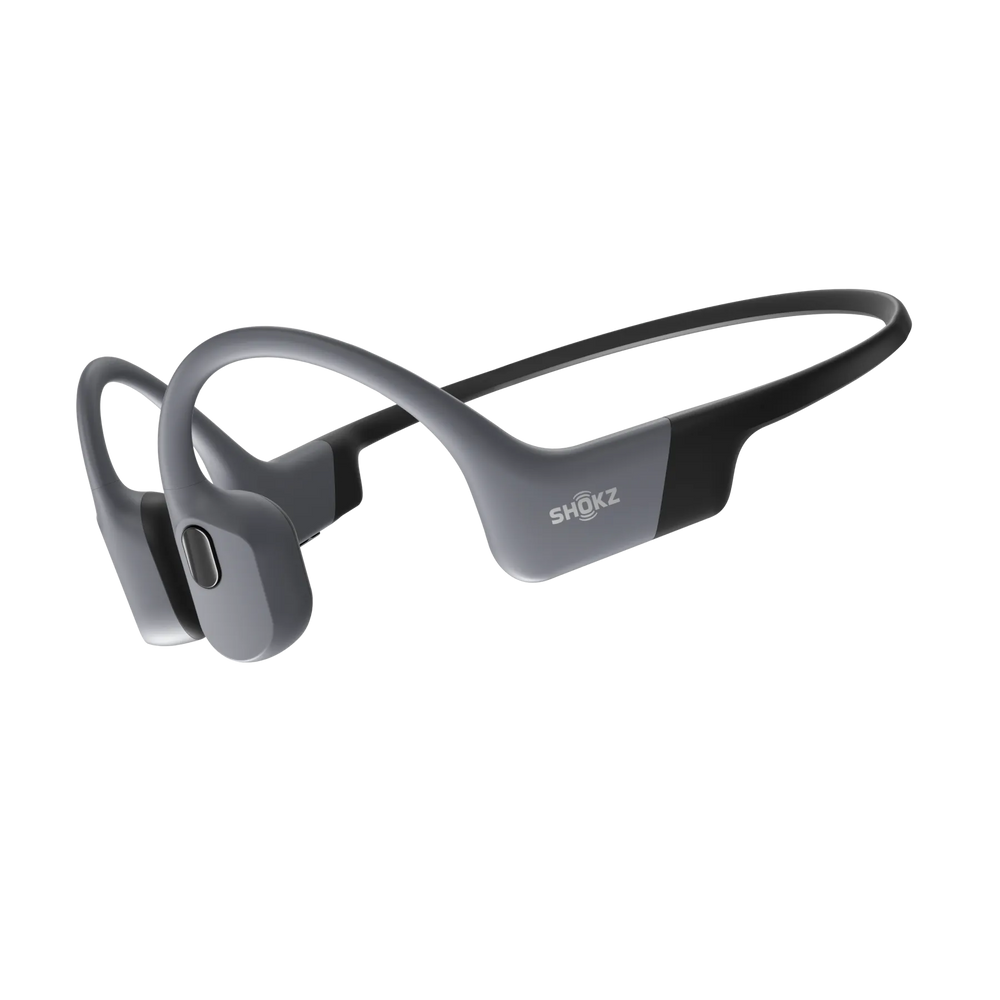
By supporting lossless formats like FLAC and WAV directly on the device, the MP3 mode bypasses Bluetooth compression. This allows for a crisp, high-fidelity experience during high-intensity workouts or even underwater (thanks to its IP68 rating). It’s a practical solution for those who want the convenience of Bluetooth without sacrificing the depth of lossless audio when it matters most.
FAQ
1. What are the major audio file formats?
The major audio file formats are generally grouped by compression method: Lossless formats, such as FLAC and WAV, perfectly preserve the original audio data. Conversely, lossy formats like MP3 and AAC reduce file size significantly, but are destined to lose out on audio details. Additionally, some manufacturers use their own proprietary lossless formats, which serve as brand-specific equivalents to the open-source FLAC format.
2. Should I rip to FLAC or WAV?
Rip to FLAC is the way to go. FLAC delivers identical sound quality to WAV but is 40–70% smaller and includes essential metadata support. It is the superior format for managing any digital music archive. Choose WAV only for direct professional editing or mastering preparation.
3. What is the best format to listen to music?
Lossless formats tend to be the best formats for music listening, specifically FLAC. It provides maximum fidelity while being manageable for storage and compatible with current devices. High-resolution FLAC streaming is the current industry standard for premium listening.
4. Is WAV truly uncompressed audio?
Yes. WAV is generally completely uncompressed. It typically uses PCM (Pulse Code Modulation) encoding, which is the raw, digital representation of the analog waveform. The data is stored exactly as sampled, making it the purest digital container available.
Conclusion
The choice between FLAC vs. WAV is a question of application. If you are an audio engineer demanding raw speed and strictly uncompressed data in a studio, the standard is WAV.
However, for every other music listener, archivist, and consumer in Canada and worldwide, FLAC is the superior standard. It delivers identical high-fidelity, lossless sound quality to WAV but offers the essential benefits: radically smaller file sizes and functional metadata. This makes FLAC the practical, uncontested format for building a modern, high-quality digital library, with sound quality unpacked in every detail.
Author Information

guides on Shokz
Related Posts