It looks like you are visiting the United States of America website from Canada. Since we don't
ship orders from United States of America to Canada, please visit your local Shokz website.
• Use a soft measuring tape.
• Start at the center of your left ear, wrap around the back of your head to the center of your right ear.
• Record the distance between your ears.
1/2
2. Find Your Fit
• Over 9.25 in (23.5 cm) : OpenRun Pro 2 Standard
• Under 9.25 in (23.5 cm) : OpenRun Pro 2 Mini
2/2
Charging Port
USB-C + Wireless Charging (Charging Case)
Dongle
USB-C
USB-A
Why Buy from Shokz.com?
Fast & Free Delivery
Every order placed on Shokz.com ships free and fast, so you can get your headphones in time for your
weekend hike, your next long run, next WFH conference call or your perfect chill session.
45-Day Price Match Promise
If we drop the price within 45 days of your order, we’ll refund the difference. No hoops, no hassle.
Just reach out to our dedicated customer service and we’ll take care of your price match.
45-Day Free Returns
We believe that you’ll love your Shokz at the first beat. That’s why we offer a 45-day trial with free
returns. If at any time during the first 45 days of your purchase, you are no longer happy with your
headphones, you can return them.
2-Year Warranty
Our headphones were engineered to perform and last. That’s why with every purchase from Shokz.com
comes with a 2-year warranty. Fill out a warranty claim, and we’d be glad to mail you a replacement.
Shokz OpenSwim Pro Best Waterproof Headphones for Swimming with MP3 & Open-Ear & Other Features
Dive into sound
Watch the film
IP68 Waterproof Rating
Bluetooth® + 32GB integrated storage
Stay aware with open ears
Vivid sound, even underwater
Secure, stable fit
Up to 9 Hours of Power + Quick Charge
IP68 waterproof1 and
swim-ready.
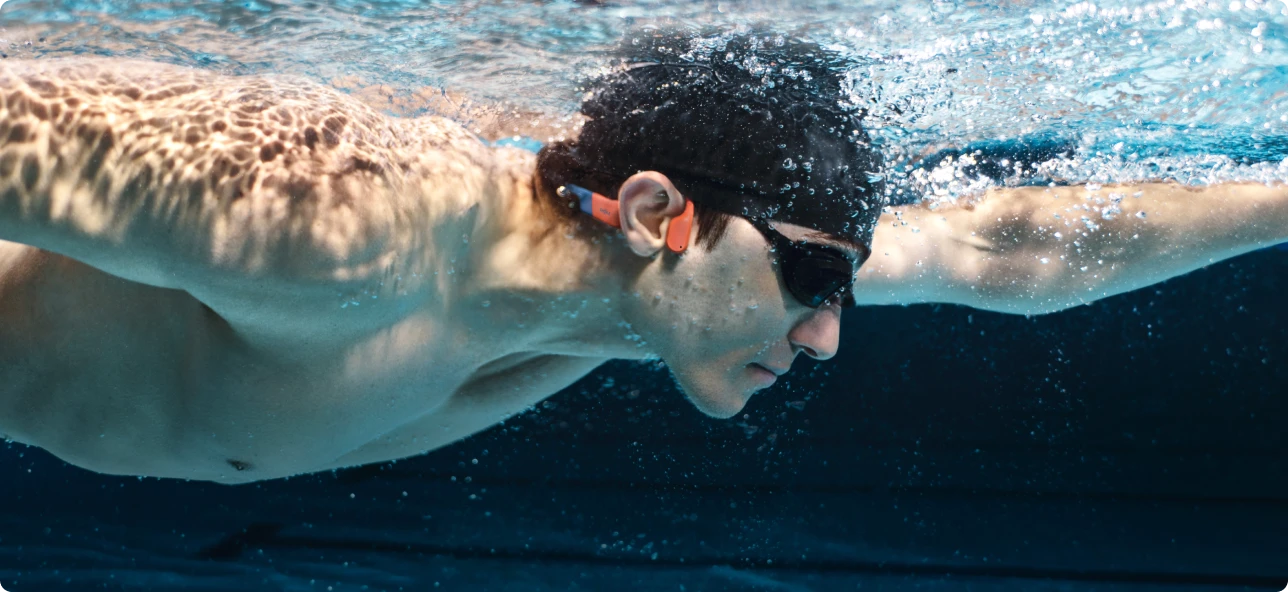
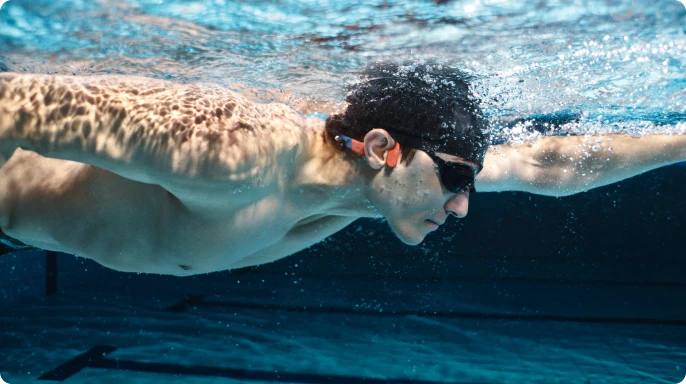
OpenSwim Pro is made for the rhythm of the water—whether you’re gliding through laps or balancing on a
paddleboard. Its IP68 rating and triple-sealed build hold steady down to two meters (6.5 feet), giving you
confidence in every dive, dip, and stroke.
*After open-water use, soak in fresh water for about 30 minutes to remove salt.
Bluetooth® + 32GB
integrated storage
Dual functionality.
Built for water and land.
OpenSwim Pro seamlessly switches between Bluetooth® V5.4 on land and built-in MP3 Mode underwater. One tap
of the multi-function button or the Shokz App moves you between them.
With 32GB2 of storage, MP3 Mode holds more than 8,000 songs3 across multiple formats
and transfers them fast. Organize your tracks and build playlists for every session.
*Underwater use is limited to MP3 Mode due to Bluetooth signal disruption by water. Supports MP3, FLAC, WAV,
AAC, M4A, APE, WMA.
Stay aware with open ears4
Stay aware above.
Stay immersed below.
Our signature open-ear design keeps you aware of your surroundings above water, giving you confidence
during watersports. Underwater, it pairs perfectly with professional swimming earplugs to keep water and
debris out while maintaining clear, stable audio, especially in the open water.
HOW TO DOWNLOAD SONGS
Step 1: Find your downloaded songs on your computer and check their file location.
Step 2: Make sure each file is in a supported format. *If not, convert the file before importing.
Step 3: Connect OpenSwim Pro to your computer using the magnetic charging cable.
Step 4: Open the disk drive named SWIM PRO.
Step 5: Drag and drop your audio files into the drive.
Step 6: Once the transfer is complete, safely eject the SWIM PRO drive from your computer.
PremiumPitch™ 2.0+ delivers powerful sound, while the Swimming EQ Mode optimizes every beat for detailed
audio underwater when paired with earplugs*.
*Earplugs are included in the package.
Stability in motion.
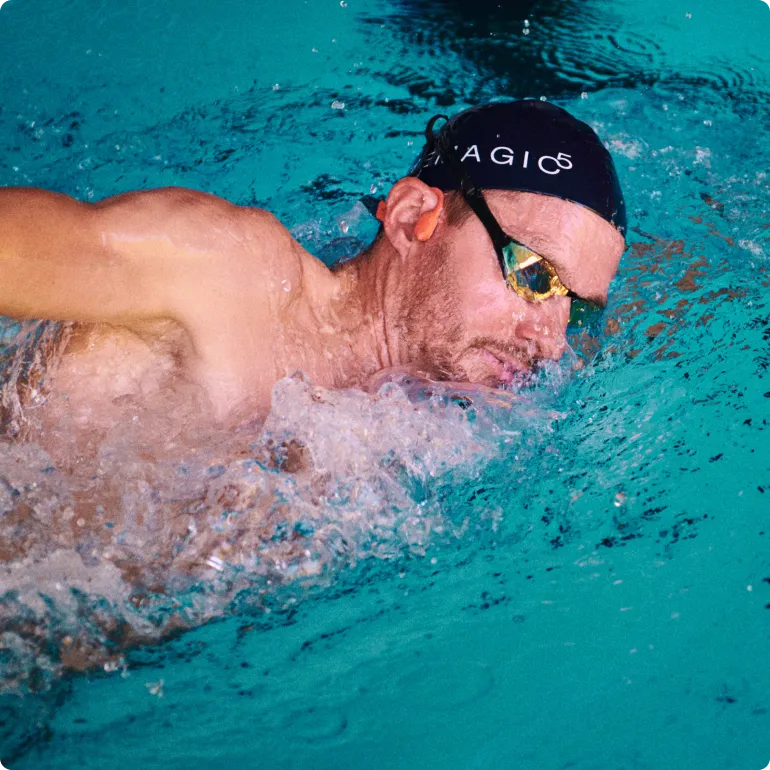
No more readjusting with slips and tumbles – OpenSwim Pro is engineered for a secure fit. With flexible,
ergonomically shaped ear hooks and a nickel-titanium alloy headband, it stays comfortably in place, whatever
water sport you choose.
What's In The Box
OpenSwim Pro Headphone*1
4-Pin Magnetic Charging Cable*1
Swimming Earplugs*1
Silicone Carrying Case*1
User Instructions*3
*Waterproof earplugs support clearer underwater audio.
1. OpenSwim Pro can be submerged in up to 2 meters of fresh water. OpenSwim Pro was tested under controlled
laboratory conditions and has a rating of IP68 under IEC standard 60529. The water-proof properties of this
product are not permanent and may decrease over time due to normal wear and tear.
2. Usable storage varies due to system files, and for data management functions.
3. Calculated based on regular-quality songs at 4MB each. High-quality songs are approximately 8MB, storing
about 4,000 high-quality music tracks.
4. Wear headphones properly and adjust volume to be aware of your surroundings, especially traffic, during
outdoor workouts. Be aware that cycling or driving with OpenSwim Pro may distract you, potentially leading to
accidents and violating applicable laws and regulations. Always use this product in compliance with local rules
and regulations.
Which Product Is Right For You?
Product
OpenSwim Pro
OpenSwim
OpenRun
Basic Information
color:
Size:
Standard
$299.95
$299.95
$299.95
color:
Size:
Standard
$199.95
$199.95
color:
Size:
Standard
Mini
Charging:
Magnetic Induction
USB-C
$169.95
$169.95
$169.95
$169.95
$169.95
$169.95
$169.95
$169.95
$169.95
Technology
8th Generation Bone Conduction Technology
PremiumPitch™ 2.0+ Compared to the 7th generation, the 8th generation has less vibration and leakage, better sound.
7th Generation Bone Conduction Technology
PremiumPitch™ 2.0 Compared to the 6th generation, the 7th generation has higher waterproostandard and 50% less sound leakage.
8th Generation Bone Conduction Technology
PremiumPitch™ 2.0+ Compared to the 7th generation, the 8th generation has less vibration and leakage, better sound.
Battery Life
9 Hours with Bluetooth 6 Hours with MP3
8 Hours
8 Hours
Charge Time
1.5 Hours
2 Hours
1.5 Hours
Sweat & Water Resistant
*IP68 Waterproof
This rating applies to items that are protected against effects of continuous immersion in water and against ingress of dust.
*IP68 Waterproof
This rating applies to items that are protected against effects of continuous immersion in water and against ingress of dust.
*IP67 Waterproof (Not for swimming)
This rating is given for items that can provide protection against ingress from powerful jets of liquid and against ingress of dust
Read what professional athletes say about our products.
United States -Trail Running
"They’re easy to connect to your phone, change volume, and pause, and they stay attached well to your head, even while running."
Adam Peterman
German -Triathlon
Shokz offers the best quality while keeping athletes safe with open-ear listening since they can still hear traffic and what’s going on around them.”
Jan Frodeno
United Kingdom -Road Running
"They have a comfortable fit and an impressive battery life which makes them my go-to headphones."
Eilish McColgan
United Kingdom -Trail Running
“Having Shokz as a partner allows me to listen to music while still being able to hear what’s happening on the trail and stay safe.”
Tom Evans
Customer Reviews
FAQ
Product
Using Guide
Shokz App
What is the difference between OpenSwim Pro and OpenSwim?
1. OpenSwim Pro supports both Bluetooth® connectivity and MP3 Mode, with expanded 32GB of storage. OpenSwim supports MP3 playback only, with 4GB of storage and no Bluetooth functionality. 2. OpenSwim Pro features PremiumPitch™ 2.0+, Shokz’s 8th-generation Bone Conduction Technology, which reduces vibration and sound leakage while delivering improved audio quality compared to the 7th-generation technology used in OpenSwim. 3. In terms of battery life, OpenSwim Pro offers up to 9 hours in Bluetooth Mode and 6 hours in MP3 Mode, while OpenSwim provides up to 8 hours of playback. 4. OpenSwim Pro also charges faster, reaching a full charge in approximately 1.5 hours, about 30 minutes faster than OpenSwim.
How much MP3 storage does OpenSwim Pro have, and how many songs can it hold?
A: OpenSwim Pro has 32GB of MP3 storage. The estimated capacity can vary depending on the file size of your songs. Here's a breakdown for your reference:
Regular Quality Songs (around 4 MB each): You can store approximately 8,000 songs.
High-Quality Songs (around 8MB each): You can store approximately 4,000 songs.
What music file formats are compatible with OpenSwim Pro? Does it support Bluetooth music transfer?
A: OpenSwim Pro offers broad compatibility with various audio formats, including MP3, FLAC, WAV, AAC, M4A, APE, and WMA. However, please note that OpenSwim Pro does not support Bluetooth music transfer. You can upload your music files directly to the headphones using the included 4-Pin Magnetic Charging Cable. For detailed instructions, please refer to our "How-To Video".
Does OpenSwim Pro automatically disconnect from a Bluetooth device when switching to MP3 mode?
A: No, OpenSwim Pro maintains its Bluetooth connection even when you switch to MP3 mode. This allows you to seamlessly transition back and forth between your music library stored on the device and Bluetooth streaming without needing to re-pair your headphones.
What is the battery life of OpenSwim Pro in Bluetooth mode vs. MP3 mode? Does battery life vary depending on use environment (land vs. underwater)?
A: OpenSwim Pro offers up to 9 hours of battery life when using Bluetooth mode and up to 6 hours of battery life in MP3 mode. This is consistent regardless of whether you're using the headphones on land or underwater.
Does OpenSwim Pro come in different sizes?
A: No, OpenSwim Pro is currently available in a single, universal size.
Can I use Bluetooth mode underwater?
A: No, Bluetooth connectivity is not functional underwater with OpenSwim Pro. Water effectively disrupts Bluetooth signals, limiting underwater use to the MP3 mode with its internal storage.
Is OpenSwim Pro suitable for diving?
A: No, OpenSwim Pro is not recommended for diving. While the headphones feature a waterproof rating of up to 2 meters (6.5 feet), they are not intended for use at deeper depths. Additionally, we advise against using OpenSwim Pro in seawater. If your headphones come into contact with salt water, soak them in fresh water for about 30 minutes to remove salt.
Can I charge OpenSwim Pro with the OpenSwim charging cable?
A: No, OpenSwim Pro and OpenSwim utilize different charging cables. OpenSwim Pro requires the included 4-Pin Magnetic Charging Cable for proper charging.
Can OpenSwim Pro connect to a PC or TV
A: Yes, OpenSwim Pro’s Bluetooth connectivity allows you to pair it with various devices including PCs, TVs, mobile phones, smartwatches, and more.
Can I use OpenSwim Pro in seawater?
Yes. OpenSwim Pro can be used in seawater. To help prevent salt buildup, soak the headphones in fresh water for about 30 minutes after each use. Make sure the magnetic charging port is completely dry before charging or transferring data to ensure proper operation and safety.
How to download the Shokz App?
You can search "Shokz" on the App Store or Google Play to download the Shokz App.
What device and operating system does the Shokz App require?
Shokz App is only compatible with mobile phones and does not yet support other devices such as laptops, PCs, tablets/Pads, etc. Your mobile operating system requires at least iOS 13.0 / Android 8.0 or higher.
How to connect the Shokz App with OpenSwim Pro?
The steps are suitable for first connecting and after resetting.
1. Start with your OpenSwim Pro powered off.
2. Enter pairing mode by pressing and holding volume+ for 5-7 seconds. Your OpenSwim Pro will turn on (continue holding the button) and then the LED light will flash red and blue. Audrey will say "pairing" indicating pairing mode.
3. Open your device's Bluetooth settings and select "OpenSwim Pro by Shokz". Once your device confirms successful pairing, you're all set.
4. Open the Shokz App and follow the steps on the screen.
What functions are available in the Shokz App?
Download the Shokz App (version 5.6.0 or later) to customize your OpenSwim Pro. You can choose playback order, switch playlists, and enjoy optimized audio with the dedicated Swimming EQ Mode underwater. The app also lets you switch between Bluetooth® V5.4 and MP3 Mode, manage MultiPoint Pairing and EQ settings, view battery status, and receive firmware updates.
About the registration on the Shokz App.
a. You can register your headphones only with the serial number on the Shokz App setting.
‒ App allows up to 20 headphones to be registered.
‒ To modify the registration, kindly delete the registration and register again with correct Information.
*Note: The app account is not linked to the official website account. Not not registering on the app will not affect the purchase and warranty on official website.
My country is not covered by the Shokz App.
Thank you for your support and concern for the Shokz App. We are sorry that your country is currently not covered by the Shokz App. We will convey your request to the product team of the Shokz App. Shokz is committed to covering more countries in each version update and providing a better user experience for customers in more countries. Please subscribe to our newsletter. If there is any news about the version update of the Shokz App, we will inform you as soon as possible. Thank you again for your love and concern for Shokz.
How do I wear the headphones with a swim cap?
Put the headphones on first, then pull the swim cap over the ear hooks and the top of your ears.
How do I switch playlists?
To switch playlists in MP3 Mode, update the Shokz App to version 5.6.0 or later. You can then switch playlists using either the Shokz App or the physical buttons.
How do I download songs?
To import songs to OpenSwim Pro, connect the headphones to your computer using the magnetic charging cable.
Is the microphone waterproof?
Yes. The microphone features the same IP68 waterproof rating as the headphones.
What can I do if songs repeat too often in Shuffle Mode?
Update the Shokz App to version 5.6.0 or later, then try Shuffle Mode again.
Still have questions? Our Shokz experts are here to help.
Get Help
Follow us
Stay ahead with our latest news, share your Shokz stories, and tag #ShokzSquad for a chance to be featured
Choosing a selection results in a full page refresh.