Bluetooth Adapter for Bluetooth Headphones: A Complete Guide
Most people are just streaming music, podcasts, or movies wirelessly these days without giving it a second thought. But hey, your main device might actually not have Bluetooth, or maybe that connection it came with is totally unreliable. That problem is exactly what a Bluetooth adapter for Bluetooth headphones is designed to fix. These simple accessories are honestly perfect for older TVs, for getting rid of that miserable audio lag in gaming setups, or truly any situation where you need a much more stable wireless link. They are usually cheap, too! So, what matters when you’re actually choosing one, and what on earth is the tech behind them? We’re going to cover the absolute basics and flag the features that deserve your close attention.
What Is A Bluetooth Headphone Adapter?
What exactly is a Bluetooth headphone adapter? Some folks just call it a Bluetooth dongle for headphones. It’s the easiest way to add wireless connectivity to devices that either skip Bluetooth entirely or are stuck on some older, useless version. And these aren't just for audio! They effectively handle things like wireless mice, keyboards, speakers, and even game controllers. The adapter acts as a crucial bridge: it grabs the audio signal from your source (TV, PC, stereo, whatever) and shoots it wirelessly over to your headphones. That’s it. Zero cables needed.
Benefits of Buying A Bluetooth Headphone Adapter
Adding a Bluetooth headphone connector to your setup brings some compelling advantages that go way beyond just simple wireless convenience. It’s honestly why so many people are picking up these compact devices.
1. Works with Devices That Don't Have Bluetooth
Think older TVs, desktop PCs, gym gear, or those irritating in-flight systems. They mostly predate standard Bluetooth. A dedicated adapter upgrades them cheaply; you avoid having to replace everything. Your reliable old gear now works perfectly with your wireless headphones, saving you a pile of money.
2. Enabling Low Latency for Movies and Gaming
Latency is that frustrating gap between the video and the audio. It absolutely wrecks wireless listening. A decent BT headphone adapter featuring aptX Low Latency can slash delays to under 40 milliseconds, basically invisible. This keeps lip-sync tight for action films, crucial gaming moments, or anything where timing matters.
3. More Stable and Reliable Connection
Built-in Bluetooth on some gear can be flaky, but dedicated adapters generally use better antennas and chipsets. This means stronger, steadier connections, solving frequent dropouts or interference issues. It’s seriously useful in crowded spots like apartments or busy offices where signals clash.
4. Makes Older Devices Feel New Again
There's a real satisfaction in extending the life of technology you already own. You save cash and cut down on e-waste by adding simple wireless capability to legacy equipment. It’s a smart, practical choice that delivers an environmental win, too.
5. More Freedom and Comfort
Wireless listening is pure freedom from cables. You can cook in the kitchen while catching the show in the living room, exercise at home, or just sprawl out on the couch. No tangles, no ridiculous length limits.
6. Perfect for Travel
Airline entertainment systems are still stuck using those old, awkward audio jacks. A compact Bluetooth adapter fixes that instantly, letting you use your own quality wireless headphones on the plane. Most are tiny, USB-stick-sized, and weigh next to nothing in your carry-on bag.
Common Types of Bluetooth Adapters
Understanding the various types of Bluetooth adapters is key to choosing the right one for your exact needs. These devices mainly differ based on how you install them and the specific functionality they offer.
Based on Installation Method
-
USB Bluetooth Adapter: Plugs straight into a USB port. They are the most common because they're simple, portable, and totally hassle-free.
-
Built-In Bluetooth Adapter: Many devices already include a chip. But some users swap them out for external adapters to get newer Bluetooth versions, better range, or improved stability.
-
PCI or PCIe Bluetooth Card: Internal cards that you install right inside your PC. These usually offer the best range and performance since they use bigger antennas and don't compete for the USB bandwidth.
Based on Form Factor and Functionality
-
USB Transmitters (for PCs): The top Bluetooth transmitter options for computers are compact USB dongles. They add or upgrade Bluetooth on desktop PCs without wireless or laptops running outdated chips.
-
Optical/3.5mm Transmitters (for TVs/Stereos): These connect using Optical (TOSLINK) or the standard 3.5mm auxiliary cables to send TV or stereo audio out to your wireless headphones.
-
USB Receivers (for Wired Speakers): Their job is to grab Bluetooth audio from your phone or tablet and output that sound to wired speakers.
-
Combo Units (TX/RX Switchable): These let you switch modes as needed. You can send TV audio to your headphones today, then stream music from your phone to your old speakers tomorrow. Real flexibility.
|
Type |
Installation / Connection |
Primary Use Case |
|
USB Bluetooth Adapter |
USB port (PC/Laptop) |
General Bluetooth connectivity |
|
Built-In Bluetooth Adapter |
Integrated chipset |
Default device Bluetooth |
|
PCI / PCIe Bluetooth Card |
Internal PCI/PCIe slot |
High-performance desktop PCs |
|
USB Bluetooth Transmitter (PC) |
USB port |
Audio streaming from PC |
|
Optical / 3.5mm Bluetooth Transmitter |
Optical (TOSLINK) or 3.5mm jack |
TV/stereo to wireless headphones |
|
USB Bluetooth Receiver |
USB power + audio output |
Wired speakers/amplifiers |
|
Bluetooth Transmitter & Receiver (Combo) |
USB / Optical / 3.5mm |
Multi-device audio use |
How Does A Bluetooth Headphone Adapter Work?
The process of sending audio wirelessly might seem like magic, but it follows a logical, quick, three-step sequence that occurs in mere milliseconds.
Step 1: Capturing The Audio Signal from The Device
The adapter first grabs the audio from your source device. This might be a digital signal via USB or Optical (TOSLINK), or an analogue signal from a 3.5mm jack. Internal circuitry then processes the input, preparing it for wireless transmission.
Step 2: Converting Audio into Bluetooth Format
The signal is compressed and then encoded using a Bluetooth codec (SBC, AAC, aptX, or LDAC). Chipsets handle this instantly. Remember: advanced codecs like aptX HD keep more detail, while basic ones just prioritize stability.
Step 3: Transmitting The Bluetooth Signal to The Headphones
The encoded audio is then sent wirelessly via 2.4 GHz radio waves. Your headphones receive, decode, and play it back. Standard codecs usually take 100-200 milliseconds from capture to playback, but low-latency versions can get that down to just 30-40 milliseconds.
How Shokz Multipoint Pairing Works with Bluetooth Adapters
Multipoint pairing technology adds a crucial layer of convenience to your wireless setup. Shokz has really nailed this feature across their product line.
What Is Shokz Multipoint Pairing?
Multipoint pairing links your headphones to two devices at the same time. If a call comes in, the headphones automatically switch to that device. No manual disconnecting and reconnecting needed. Shokz has refined this tech, completely cutting out the tedious re-pairing hassle common with generic wireless headphones.
How Multipoint Pairing Enhances Bluetooth Adapter Usage
Pair a Bluetooth adapter with Shokz multipoint headphones and set up multipoint pairing to connect to your TV and smartphone simultaneously. Call interrupts your film? Your headphones switch to the phone automatically, then jump straight back to the TV audio when you hang up. No fumbling with settings required.
Real-World Scenarios
Office Productivity: You can listen to webinars or virtual meetings while staying absolutely available for mobile calls. Phone rings, the headphones switch automatically, zero settings to touch. Hang up, and you’re back to computer audio instantly.
Active Lifestyle: Stream your workout playlists straight from your treadmill console while staying connected for calls. Stepping outside for a quick run? The headphones follow without needing to reconnect. You stay fully aware of surroundings while connected.
Entertainment and Gaming: Switch seamlessly between gaming and streaming across different devices without constantly re-pairing. Watch a movie on the TV, then grab your tablet in bed; the headphones follow you everywhere. Crucially, you can still hear doorbells, family members, or notifications even while immersed in content.
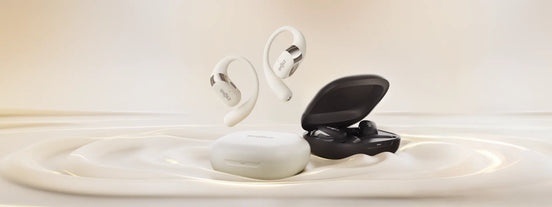
Shokz offers three truly exceptional headphone options that all support multipoint pairing. Each is designed for a slightly different preference and use case:
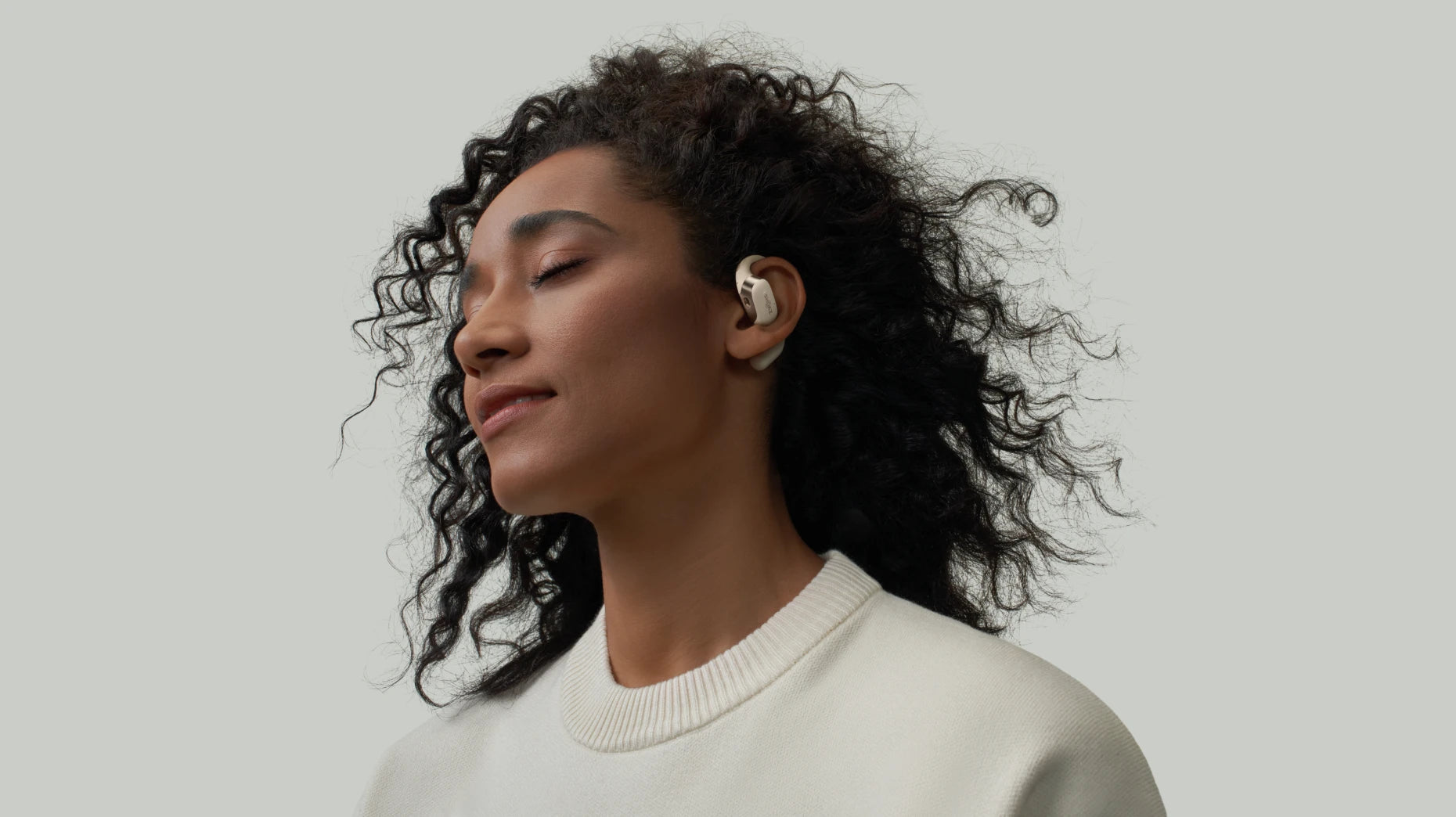
OpenFit Air features that signature open-ear design, which is great for situational awareness. It’s ultra-lightweight and comfortable for all-day wear, plus it offers a really stable Bluetooth connection for reliable, uninterrupted listening. Ideal for: workouts, commuting, office work, and calls where comfort, awareness, and reliable connectivity are non-negotiable.

-
Ultra-lightweight at 8.7 grams
-
Bluetooth 5.2 with multipoint connectivity
-
10 minutes quick charge for 2 hours of use
-
6 hours of playback per charge, 28 hours total with charging case
OpenFit 2+ delivers robust open-ear audio with a secure ear-hook design. You get dynamic, full sound with clear mids and highs, thanks to an advanced Bluetooth chip that ensures stable, totally effortless connectivity. Perfect for: serious music listening and movie watching; it gives you an immersive sound experience without cutting you off from the world.

-
Bluetooth 5.4 with multipoint pairing support
-
Dolby Audio technology for truly premium sound
-
Massive up to 11 hours of continuous playback, 48 hours total with the charging case
-
Noise-canceling microphones for crystal-clear calls
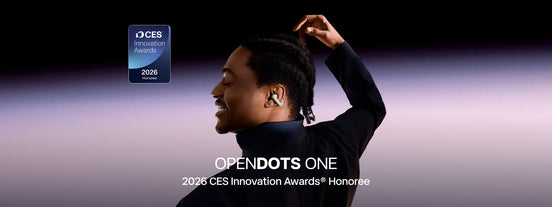
OpenDots One features an ultra-light, secure clip-on design. They look great, almost like a stylish accessory. They deliver powerful sound with surprisingly deep bass, plus stable Bluetooth and seamless multi-device switching. Great for: social outings, serious office multitasking, travel days, and taking calls on the go.

-
Ultra-lightweight design, with earbud weighing just 6.5 grams
-
Bluetooth 5.4 with multipoint connectivity
-
10 hours continuous playback, 40 hours total with charging case
-
Dual drivers work together to deliver powerful, immersive sound
All three models share that essential open-ear design, ensuring you stay completely aware of your surroundings while still getting quality audio. When you pair any of them with a good Bluetooth adapter, you create a versatile audio ecosystem that adapts seamlessly to any situation.
Key Features to Look for in The Bluetooth Headphone Adapter
Honestly, you shouldn't just grab the first adapter you see. If you want a good setup for the best wireless Bluetooth headphones, these are the few specs that actually make a difference. Pay attention here:
1. Compatibility
Check if your adapter fits your devices and OS. Opt for optical or 3.5mm on TVs and consoles as they beat USB for reliability. Check whether your adapter supports the Bluetooth profiles your headphones require. Also, just make sure it supports A2DP; that’s what almost all regular stereo headphones run on.
2. Bluetooth Version and Range
This is pretty basic: Go 5.0 or newer. You get way more distance (in theory, over 200 meters in open, outdoor environments with minimal interference) and better battery life. Big catch: your headphones need to be 5.0 too, or you don't get the perks.
3. Low Latency (aptX Low Latency)
Seriously, if you game or watch movies, this is a must-have. Standard Bluetooth delay is just awful (like 150-200 ms slow). This aptX trick cuts it down to 40ms or less. No more talking out of sync!
4. Multi-Point Pairing or Dual Link
Some adapters support connecting two pairs of headphones simultaneously for couples or roommates who want to watch content together. This is different from the multipoint pairing featured in Shokz headphones, which connects one pair of headphones to multiple source devices.
5. Codec Support
You want lots of options: SBC, AAC, aptX, HD, LDAC. The more it supports, the better your chances of getting high-quality audio, no matter whose headphones you borrow.
6. Ease of Use and Setup
Should be dead simple. Plug it in, and it should just work. Check reviews for true plug-and-play. A nice bonus? Adapters with a tiny screen showing you the codec status, super helpful.
FAQ
How to connect headphones with a Bluetooth adapter?
Plug the adapter into your gear. Get your headphones flashing (that’s pairing mode, usually hold the button for a few seconds). Hit the adapter's pairing button, wait a sec, and you're good. Most of the time, you only do this once.
How to set up a Bluetooth adaptor?
PC USB sticks? Just pop it in. For TV adapters (the ones with the 3.5mm or optical), plug the cable into the audio out port, switch it on.
Can a Bluetooth adapter improve sound quality?
If your source device uses truly old Bluetooth (like version 3.0 or older), a new adapter with aptX HD or LDAC may improve fidelity. However, any improvement depends on codec support on both ends, platform compatibility, and source audio quality. For example, an adapter can't improve a terrible audio file; poor-quality source files will still sound poor.
What is the best Bluetooth headphone adapter?
There's no single "best." Just focus on your main job: PC users need a simple 5.0+ USB stick. Gamers/movie buffs need aptX Low Latency, no exceptions. TV watchers should get an optical adapter that handles two headphones at once.
Conclusion
A good Bluetooth adapter for headphones is a major upgrade. It fundamentally changes how you use your tech. This simple move delivers instant reliability and total wireless freedom. It future-proofs legacy equipment. Before buying, assess your needs. Do you require Low Latency for gaming? Or Dual Link for shared viewing? For the ultimate setup, combine the right adapter with Shokz multipoint headphones. Specifically, the OpenFit Air. This creates an adaptive audio ecosystem. It handles all your devices effortlessly and seamlessly.
Author Information

guides on Shokz
Related Posts