Physical Buttons vs. Touch Controls: Which Stays Reliable During Heavy Sweating?
When you're out for a sweaty run, headphone controls don’t always behave the way you want them to. Missed taps or accidental commands become a lot more common as your hands and the earbuds get slick with moisture.
That’s exactly when the differences between touch controls and physical buttons become obvious. Next, we’ll compare the two to see how they hold up in real-world running conditions.
Touch Controls vs. Physical Buttons on Sweaty Runs
If you sweat a lot or train in humid weather, physical buttons generally offer a much smoother experience. Touch controls look sleek and modern, but water and sweat can easily interfere with their sensors. Buttons give you reliable, tactile feedback so you can just focus on your pace. Here is a quick breakdown of how they compare:
| Feature | Touch Controls | Physical Buttons |
| Sweat Resistance | Can misread inputs due to moisture | Largely unaffected by sweat |
| Accidental Activation | More likely with water droplets or fabric contact | Lower risk; requires a deliberate press |
| Blind Operation | Less precise without a visual reference | Easier thanks to tactile feedback |
| Feedback | No physical confirmation | Clear click or pressure response |
| Durability | Surface sensitivity may degrade over time | Typically sealed and mechanically stable |
Knowing that physical buttons tend to win out for sweaty runs is only half the story. Their true convenience—and whether they actually feel comfortable to use—depends entirely on where they sit on the headphones.
Physical Button Placement: How It Affects Ear Comfort During Runs
Beyond reliability, button placement makes a huge difference in your overall comfort. A simple volume adjustment can feel completely different depending on the design:
-
Outer Panel Buttons (The "Plunger" Effect): Pressing buttons on the outer shell pushes the earbud deeper into your ear. Over a long run, this constant pressing often leads to annoying inner-ear soreness.
-
Stem-Pinch Controls (The Sweaty Grip Challenge): Pinching a stem keeps pressure off your ear canal, but gripping slick plastic with sweaty fingers can be tough. It usually results in frustrating fumbling.
-
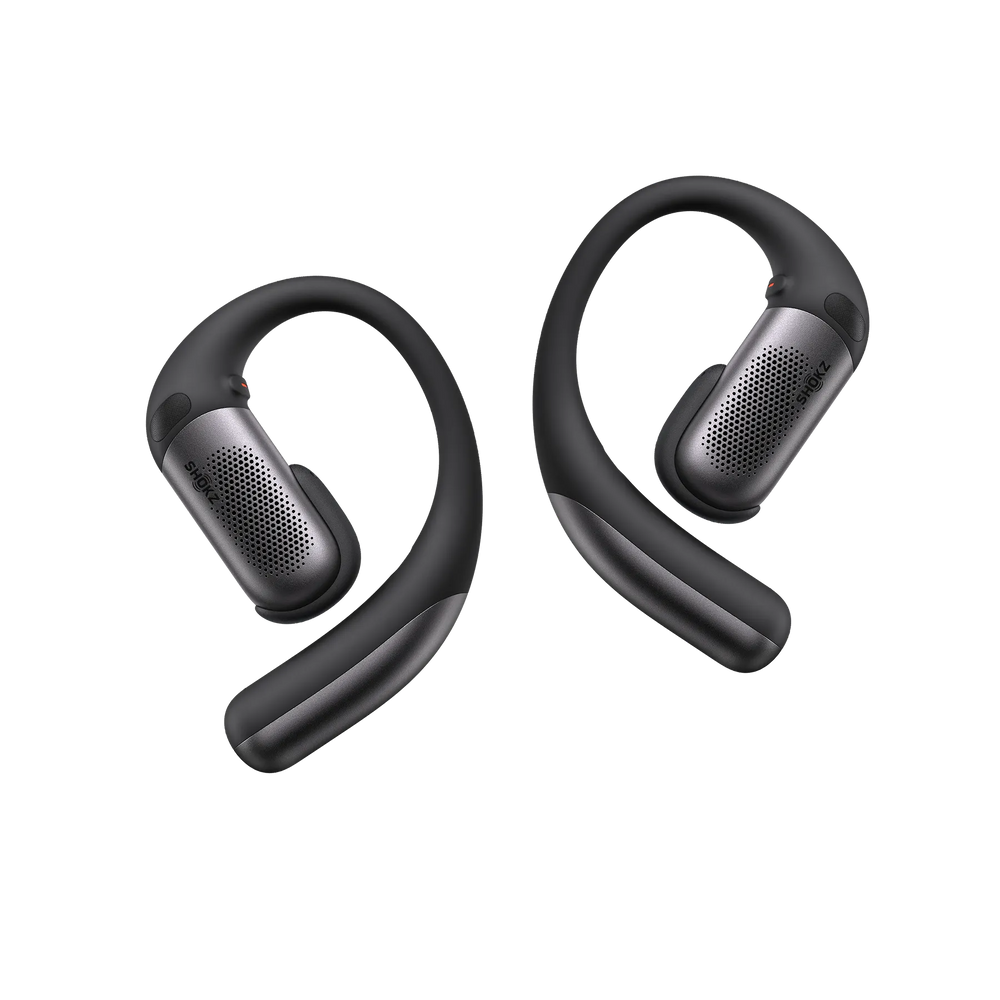
Frame-Mounted Buttons (Distributed Pressure): This is the ergonomic sweet spot. On models like the Shokz OpenFit Pro, the buttons are built right into the ear hook. The frame absorbs the pressing force, keeping your ear canal completely stable and free from pressure.
How to Clean Earbuds After Sweaty Runs
Sweat is notoriously tough on electronics, but a quick post-run wipe-down will keep your gear ready for your next workout:
-
Physical Buttons: Wipe the outside with a slightly damp cloth to clear out any salt crystals from the seams. If a button feels sticky, gently brush the gaps with a soft-bristled brush rather than rinsing it directly under the tap.
-
Touch Panels: Use a dry or lightly dampened microfibre cloth to wipe away the invisible salt film. This quickly cleans the conductive surface and restores full touch responsiveness.
-
Dry Before You Dock: Always let your earbuds air-dry completely before putting them back in their charging case. Moisture trapped on the metal contacts is a common cause of charging failures, so making sure they are bone-dry is essential.
FAQ
Q1: Are buttons or touch panels more "waterproof"?
It’s fairly close. While touch panels have fewer seams, salt buildup from sweat can interfere with their sensitivity over time. On the other hand, sports-grade physical buttons use internal gaskets to stay sealed against moisture. As long as you wipe them down after a run, buttons tend to be more mechanically reliable over the long haul.
Q2: Do buttons hurt more for runners with smaller ears?
Only if they are located on the outer shell. Pressing "outer-panel" buttons creates a "plunger effect" that can be uncomfortable for narrow ear canals. If comfort is a priority, stick to frame-mounted buttons—they shift all the pressure onto the ear hook, leaving your ear canal completely clear.
Q3: Can I just "lock" touch controls to stop misfires?
You can in some companion apps, but it comes with a trade-off. Locking them stops accidental skips caused by sweat or a stray piece of hair, but it also means you can't adjust your volume or change tracks mid-run. Physical buttons give you that reliable security without losing the ability to actually use your controls.
Conclusion
Choosing between touch and physical controls usually comes down to where you run and how heavily you sweat. While touch surfaces offer a clean, minimalist look, the reality of a long run involves moisture and movement that can make digital gestures unpredictable.
For many runners, the tactile feedback of a physical button provides a level of certainty that’s tough to beat when you're exhausted and dripping with sweat. If you’re looking for gear that handles these elements without the mid-run fumbling, explore the different fits available in the Shokz sports headphones lineup to see which one best matches your training style.
Author Information

guides on Shokz
Related Posts